For real estate developers
Propcore puts your live unit inventory inside every Kommo lead.
Your sales reps pick units with today’s price and status without leaving the lead.
What it is
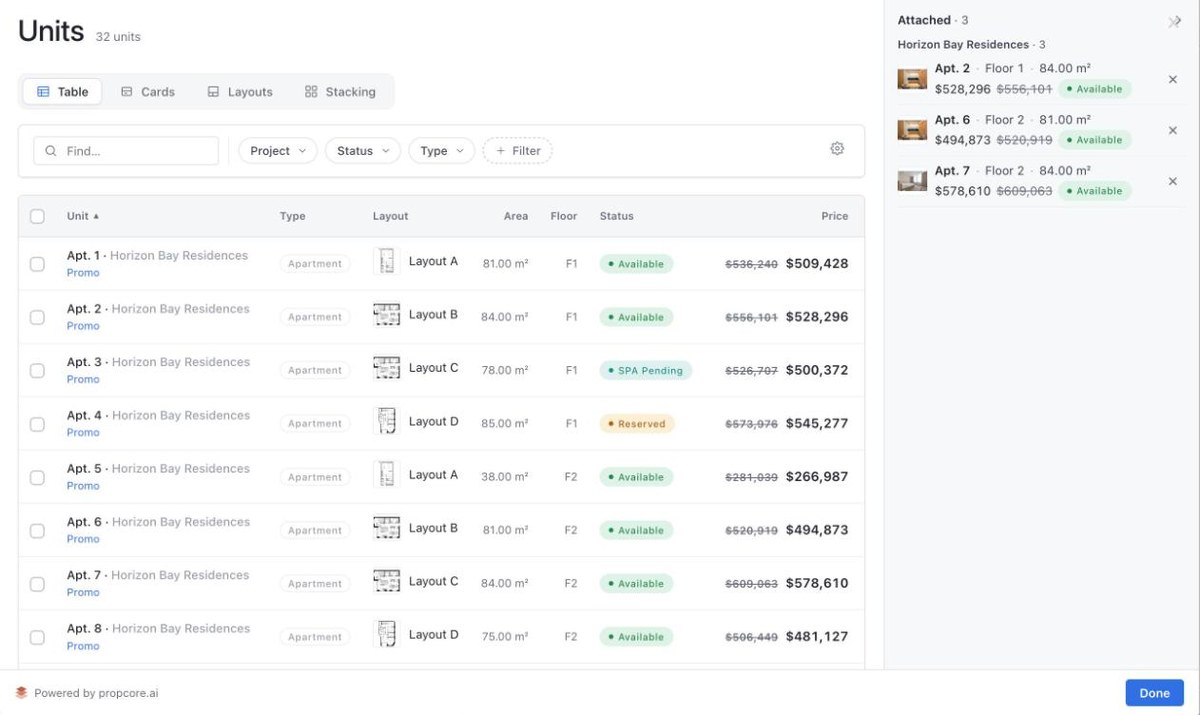
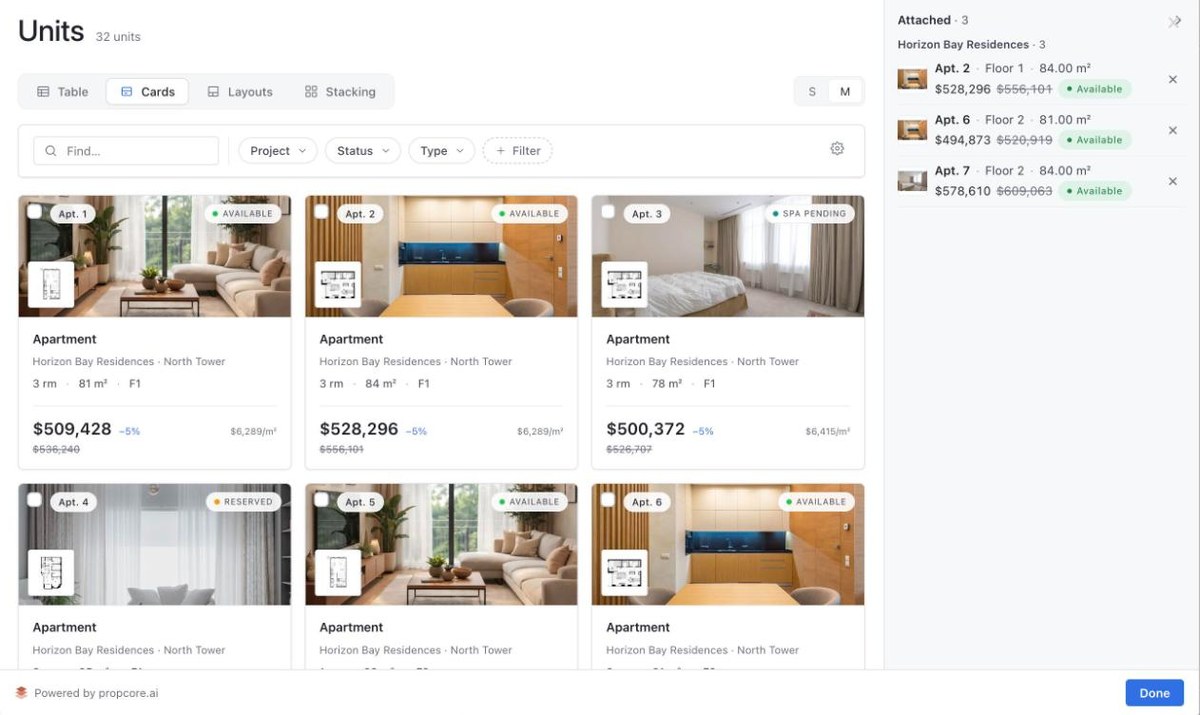
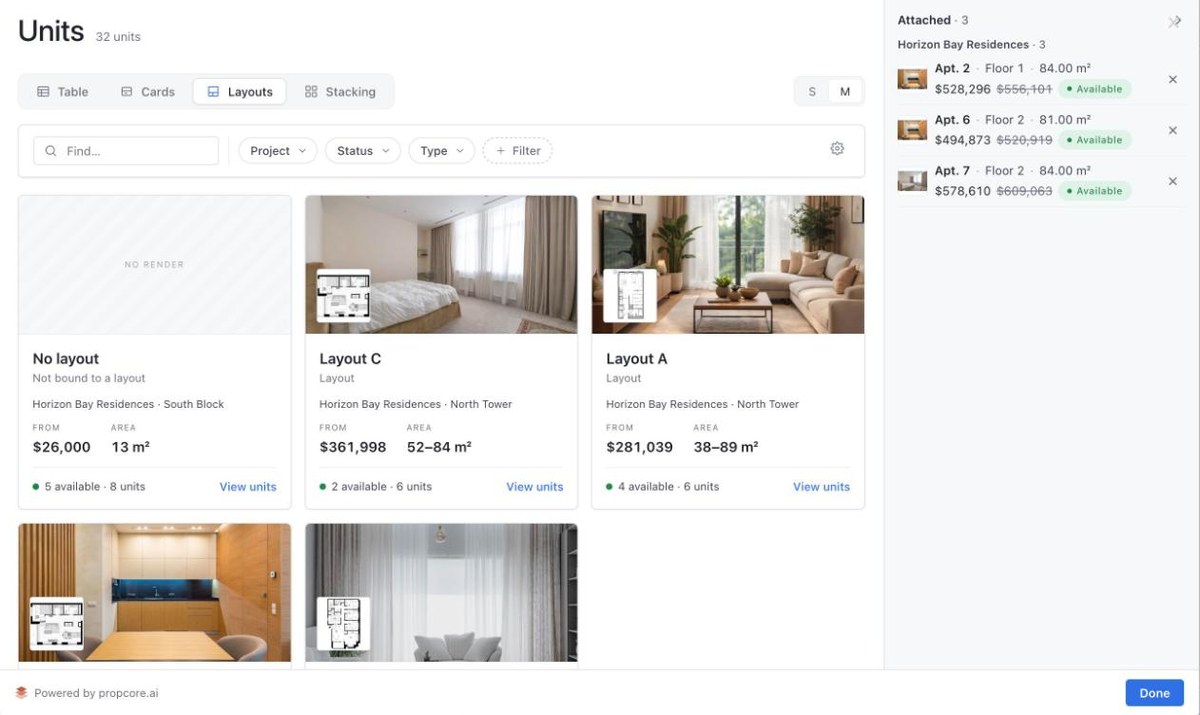
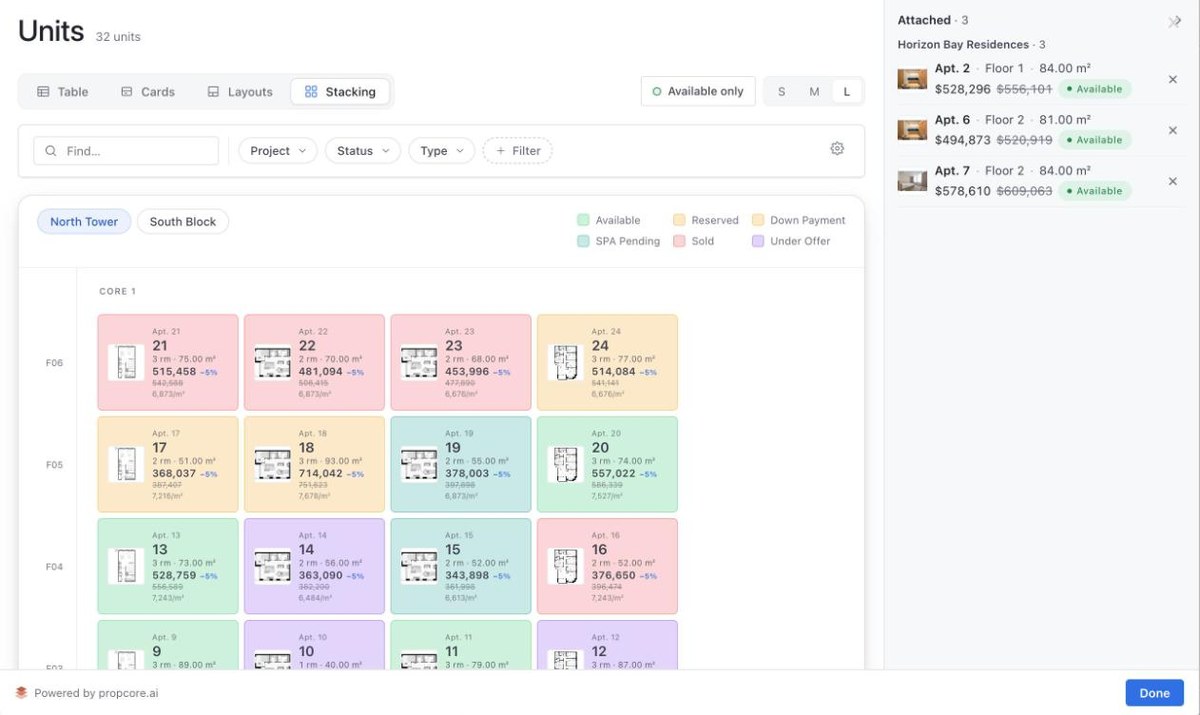
Propcore holds a property developer’s unit inventory, and this integration brings that inventory into Kommo leads. A Real estate tab in the lead card lists the units attached to it, with floor, area, status and the current price. From the tab, a sales rep opens the live inventory as a table, as cards, by layout or as the building’s stacking plan, and attaches units to the lead. The lead’s Propcore selection field then holds a link to a page with the selected units, for the client.
Pick units from the live inventory.
Open the inventory as a table, as cards, by layout or as a stacking plan of the whole building, floor by floor, in your own statuses. Select several units and attach them to the lead in one step.
Setup
Connect once.
You need a Propcore workspace and administrator rights in the Kommo account. One Kommo account connects to one workspace, and the administrator does it once. When Kommo asks for access to account data, allow it: the integration uses it to add one field, Propcore selection, to your leads.
After Save, every sales rep sees the Real estate tab in each lead. Reps need no Propcore login; the tab works through the connected account.
To undo it, press Uninstall in the integration’s window in Kommo, or Disconnect in your Propcore workspace (Integrations → Kommo). The units already attached stay in Propcore.
Questions: hello@propcore.ai
- 01Install the integration in Kommo and open its settings.
- 02Press Connect to Propcore, sign in, choose the workspace, and allow access when Kommo asks.
- 03When the line reads Connected to your workspace, press Save.
- 04Open a lead. The Real estate tab is there, with Pick units.
No. Kommo stays your CRM, and Propcore holds the inventory.
They can both show it, but they both see the same status: a reservation made in Propcore shows in every lead the next time it is opened.
Into the lead. The tab lists them, and the lead’s Propcore selection field holds the link for the client. It is a normal Kommo custom field, so filters and automations can use it.
More use cases